Both are free. Sequel Ace is a fast, open-source MySQL and MariaDB client made for the Mac. DB Connect is a free native client that also runs on Windows and adds visual EXPLAIN, a performance pane, guarded writes and six more engines.

| Feature | DB Connect | Sequel Ace |
|---|---|---|
| Price | Free | Free |
| Source code | Private (free binary) | Open source (MIT) |
| Platforms | macOS (universal), Windows x64 | macOS only |
| Engines | MySQL/MariaDB, PostgreSQL, Redshift, DynamoDB, Redis, MongoDB, Elasticsearch/OpenSearch | MySQL/MariaDB |
| Install | GitHub download, Homebrew | Mac App Store, GitHub, Homebrew |
| SSH tunnels | Yes | Yes |
| Table structure editing | Table designer, index manager | Yes |
| EXPLAIN | Yes — visual tree, EXPLAIN ANALYZE, before/after plan diff | Text output |
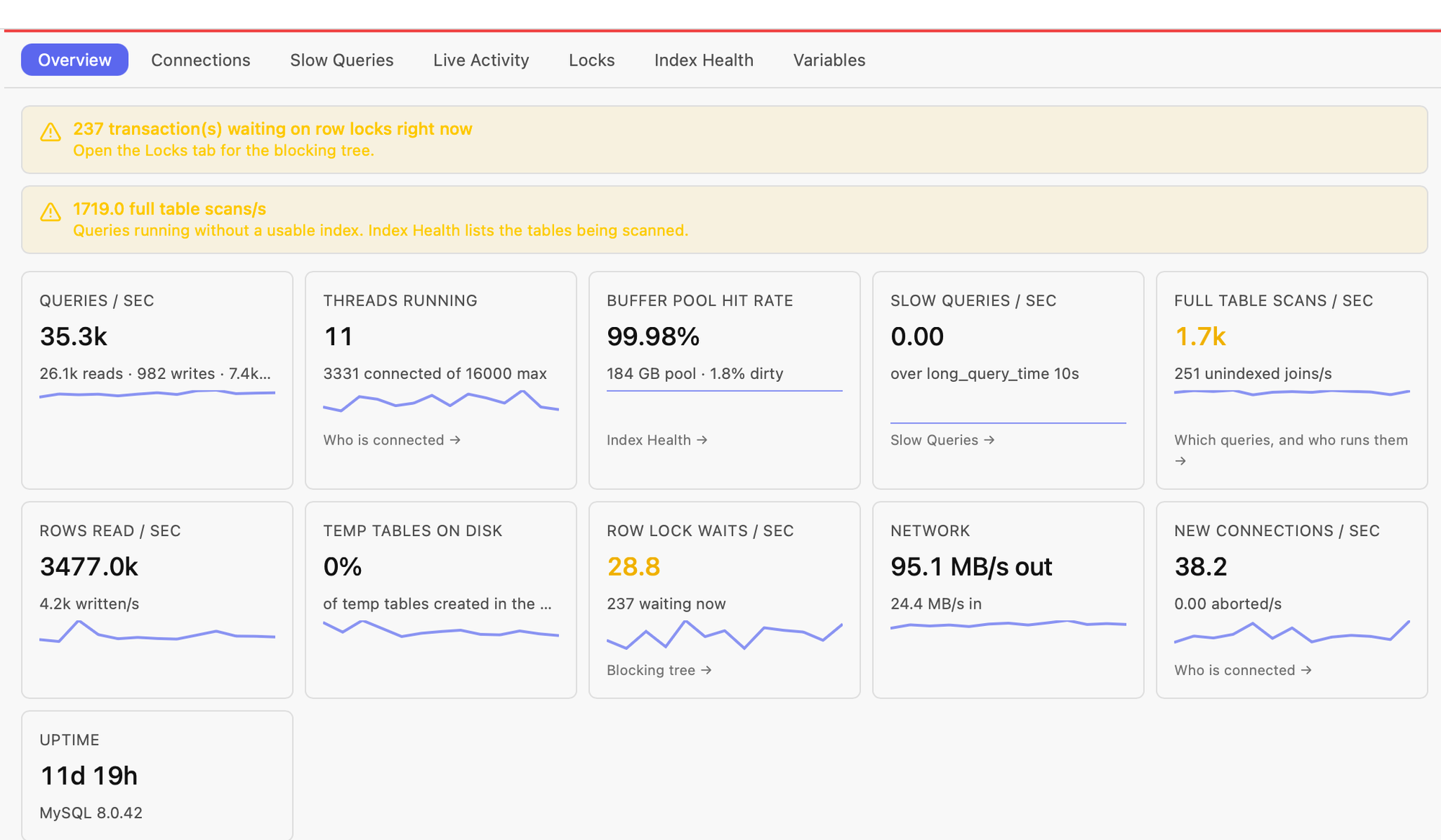
| Performance pane (rates, slow queries, unindexed queries, index advisor) | Yes | Process list and server variables |
| Dry-run preview of UPDATE/DELETE | Yes | No |
| Production confirmation gates | Yes | Not built in |
| Schema diff, ER diagram | Yes | Not built in |
| AI assistant and local MCP server | Yes (your own Anthropic key) | Not built in |
Sequel Ace details as of 2026 — check sequel-ace.com for the current feature list.
Sequel Ace is a native Cocoa app that follows Mac conventions closely, with a lineage going back to Sequel Pro. If you love that workflow, it is hard to beat.
It opens instantly and stays out of your way for browsing tables, editing rows and running queries. Fewer features means less to learn.
MIT-licensed and community-maintained: you can read the code, file issues against it and build it yourself. DB Connect's source is private.
Install and update it from the Mac App Store as a signed, sandboxed app. DB Connect's DMG is unsigned and needs a one-time xattr step after a manual download.
Same app, same features on macOS and Windows — useful when your team is split across both.
A visual plan tree, EXPLAIN ANALYZE with measured time, rows and loops on MySQL 8.0.18+, and a before/after diff when you change an index.
Live query rates, connections (including sessions idle in a transaction), slow queries, a drill-down into statements that ran without an index, and index health with a workload advisor.
Preview an UPDATE or DELETE as before/after rows inside a rolled-back transaction before you apply it. Per-tab transactions, read-only connections and confirmation gates on production-tagged connections.
Alias-aware autocomplete, JOIN … ON suggestions from foreign keys, signature help, visual EXPLAIN and EXPLAIN ANALYZE. Results grid with inline edit, find, charts, PII masking and streaming export.
PostgreSQL, Redshift, DynamoDB, Redis, MongoDB and Elasticsearch/OpenSearch in the same window — plus an optional Claude assistant and a local MCP server.
you are Mac-only and MySQL/MariaDB-only, you want an open-source tool, and you value a minimal, fast, App Store-signed app for browsing and editing data.
you need Windows as well as macOS, you tune queries with EXPLAIN and performance data, you want dry-run previews and production gates on writes, or you also work with PostgreSQL, Redshift, DynamoDB, Redis or MongoDB.
Also compare: DB Connect vs MySQL Workbench · DB Connect vs TablePlus
No. As of 2026 Sequel Ace is macOS only. DB Connect is a free MySQL and MariaDB client that runs on both macOS and Windows with the same features.
Sequel Ace is the free, open-source community successor to Sequel Pro. DB Connect is another free option that also runs on Windows and adds visual EXPLAIN, a performance pane and dry-run previews for writes.
Yes. EXPLAIN renders as a visual plan, EXPLAIN ANALYZE shows measured per-operator time, actual rows and loops on MySQL 8.0.18 and later, and you can baseline a plan and compare it after an index change.
Aurora MySQL speaks the MySQL protocol, so you add it as a MySQL connection using the cluster or instance endpoint, with SSL or an SSH tunnel through a bastion. Performance views that read performance_schema need it enabled on the instance.
No. Install it with Homebrew (brew install --cask shubhesh07/db-connect/db-connect) or download the DMG from GitHub. The DMG is unsigned, so after a manual download you run xattr -cr /Applications/DBConnect.app once.
No. DB Connect is free for personal and commercial use, but its source is private; the distribution repository on GitHub is public. Sequel Ace is open source under the MIT licence.
Free for personal and commercial use. No account required.
macOS 11.0 (Big Sur) or later
Intel & Apple Silicon
xattr -cr /Applications/DBConnect.app
Prefer Homebrew? brew install --cask shubhesh07/db-connect/db-connect