A free Redis GUI that isn't an Electron app
Browse keys grouped by prefix, edit any data type, see where memory goes, and run commands — against standalone Redis or a cluster, with the rest of your databases in the same window.
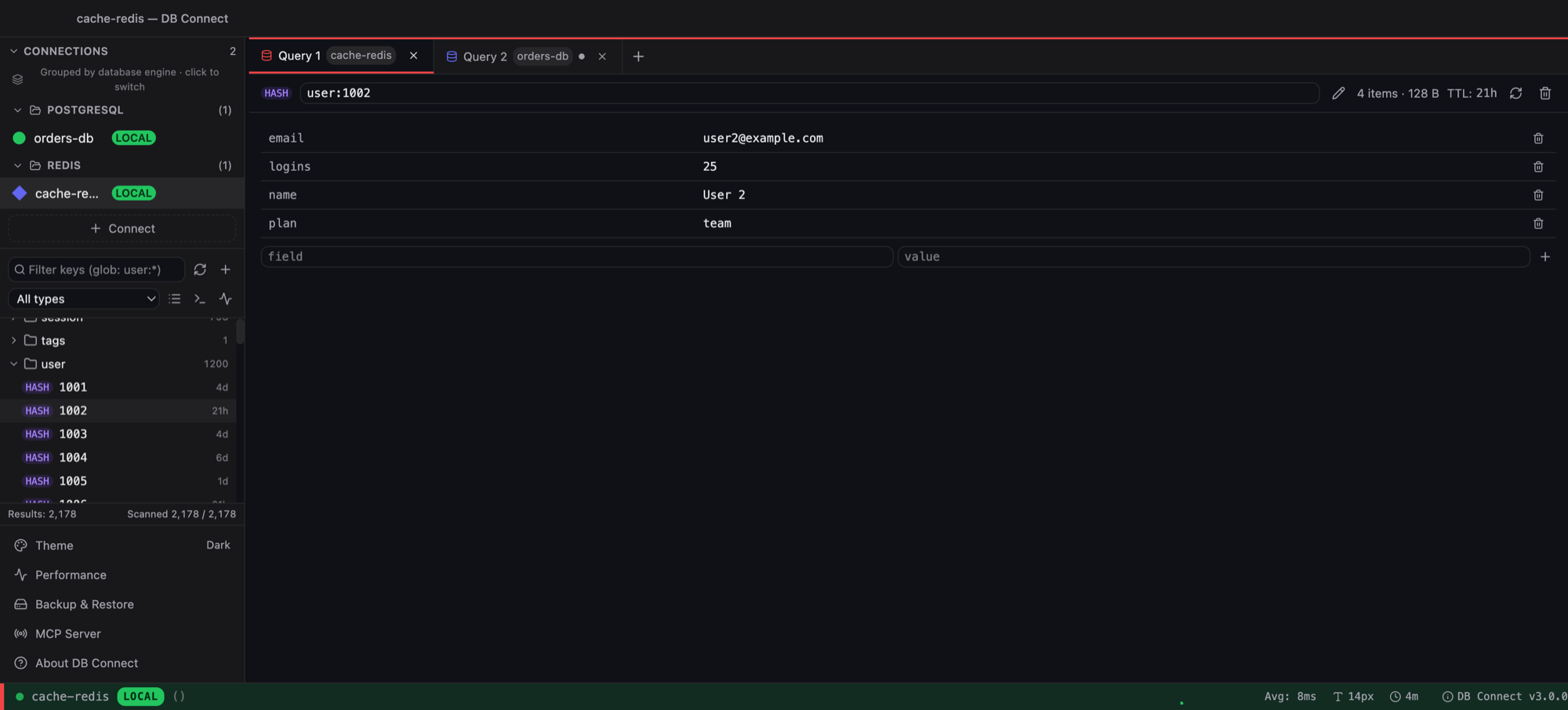
Cluster detected automatically
Enter one host:port. If the node reports cluster mode the other masters are discovered, and scans walk all of them.
Keys as a tree
user:1001, user:1002 … fold into a user folder with a count. Glob or prefix filter, type filter, Load more or Scan all.
Every data type
String (with JSON formatting), hash, list, set, sorted set with scores, stream entries. Rename, set TTL, delete — with confirmation.
Memory analysis
Sample the keyspace: memory likely to be freed by TTL bucket, top namespaces by memory or key count, keys by type, per-node stats, slow log.
Console
Any command, replies rendered by type, history recall. Read-only connections block writes.
Safe by default
TLS, ACL users, SSH tunnel, credentials encrypted with your OS keychain. Optional local MCP server so AI tools can read (not write) what you allow.
Frequently asked
Does it support Redis Cluster?
Yes. Point it at any node; cluster mode is detected from INFO and the remaining masters are discovered. Key scans, analysis and the slow log run across every master.
Is it really free?
Yes — free for personal and commercial use, no account, no telemetry. It's a native desktop app (Go + system webview), around 32 MB.
Which Redis versions work?
Redis 6 and newer, including Redis 7 and 8, Valkey, and managed services such as ElastiCache and Azure Cache for Redis. Sentinel profiles are supported too.
Can I edit values?
Yes. Hash fields, list elements, set and sorted-set members and string values are editable inline. Streams are read-only in the browser; use the console for XADD.
Does it do anything besides Redis?
That's the point — the same app connects to MySQL, PostgreSQL, Amazon Redshift and DynamoDB, each with engine-specific tooling.
Free. Native. No account.
macOS (Intel + Apple Silicon) and Windows. Also available via brew install --cask shubhesh07/db-connect/db-connect.