v3.0.0 Redis support, Redshift IAM & SSH, DynamoDB cost visibility →

One database client.
Five engines. Zero subscriptions.

MySQL · PostgreSQL · Amazon Redshift · DynamoDB · Redis — a fast, native desktop app for backend engineers who are tired of running five tools and five credential stores.

Free for personal & commercial use~32 MB, opens in under 2 sCredentials encrypted in your OS keychainNo account, no telemetry
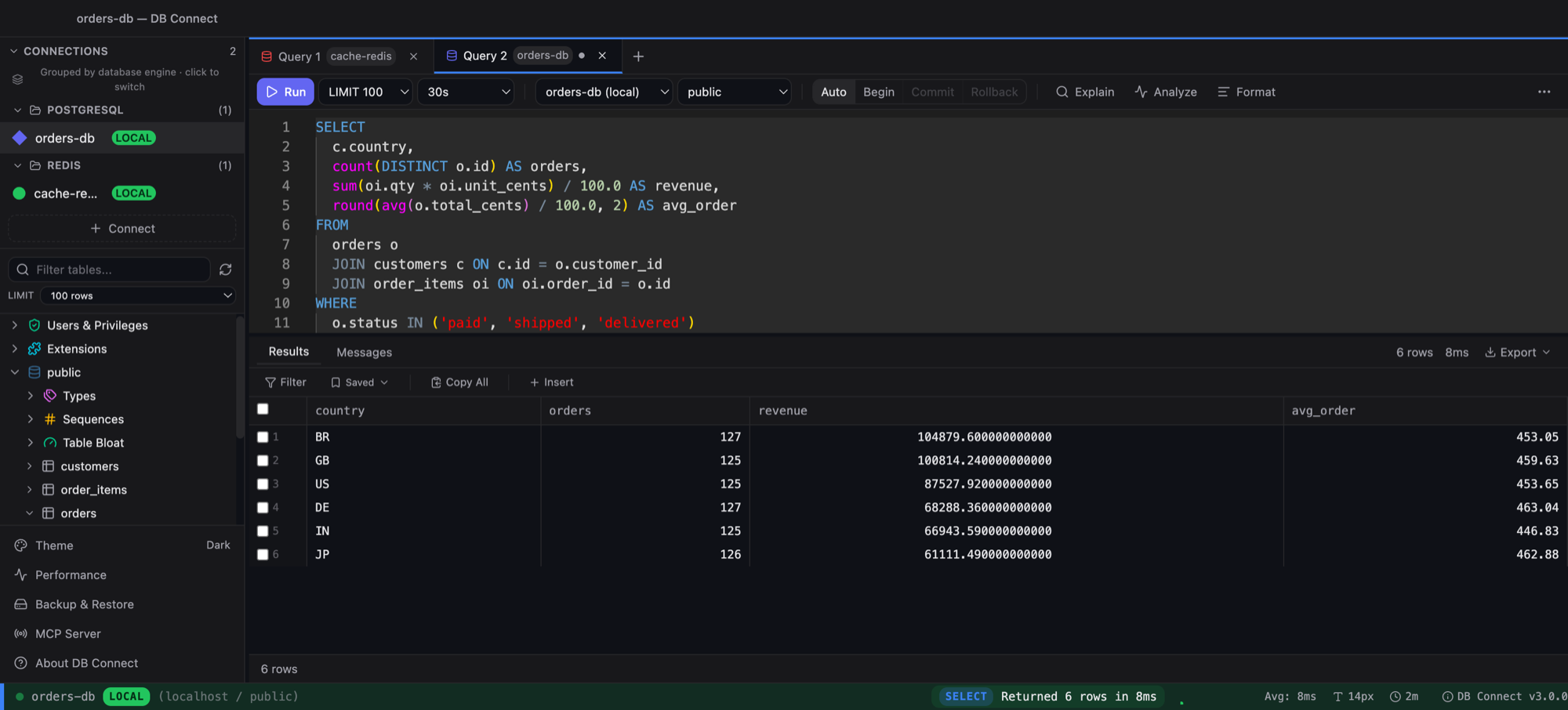
DB Connect running a PostgreSQL query: sidebar grouped by engine, SQL editor with autocomplete, results grid

New in 3.0: Redis, done properly

Key browsing, per-type editing, memory analysis, a console — in the same app as your SQL.

Key browser

Keys grouped the way you name them

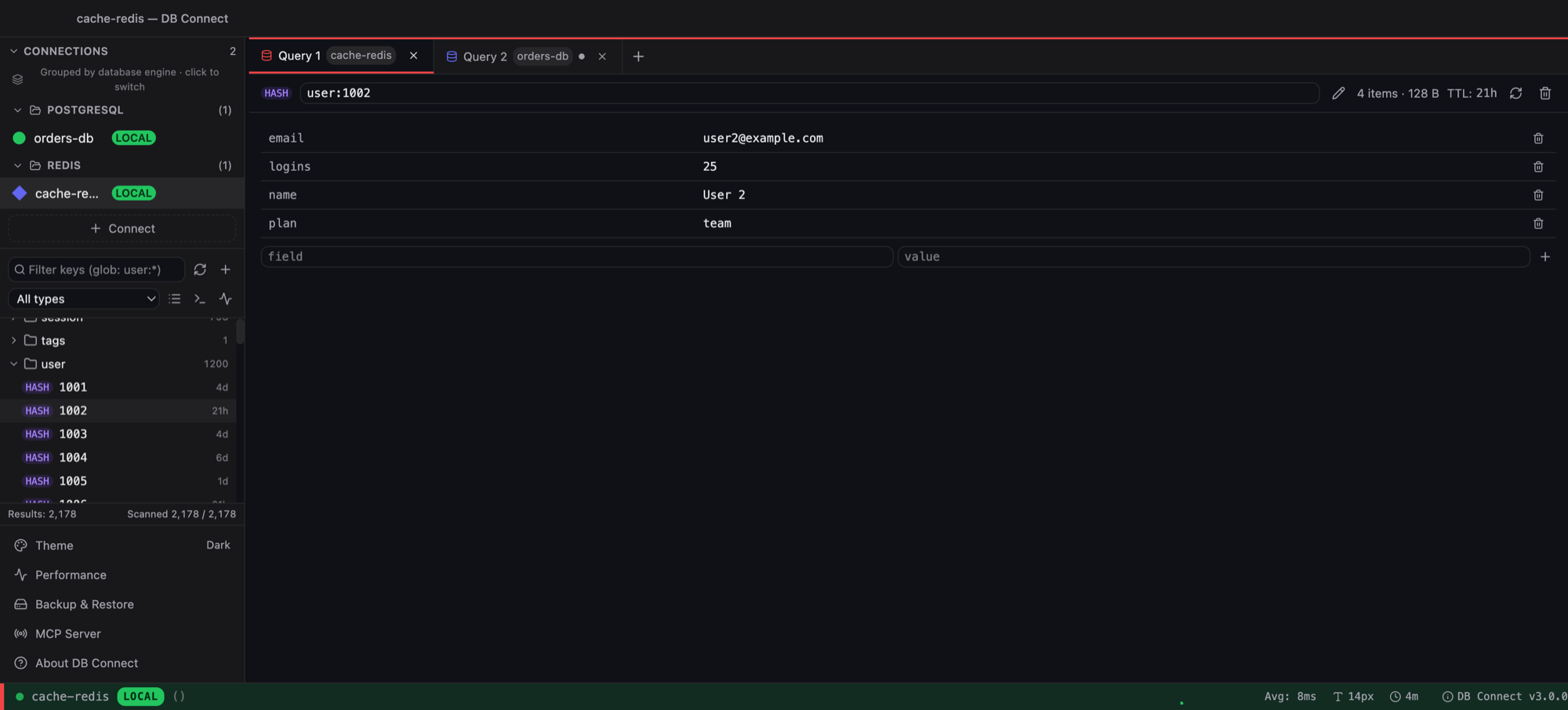
Point it at any node — standalone or cluster is detected automatically. Keys fold into a : tree with per-folder counts, and scanning walks every cluster master.

  • Glob / prefix filter, type filter, Load more & Scan all
  • String, hash, list, set, sorted set and stream editors
  • Rename (even across cluster slots), TTL, delete with confirm
Redis key browser with keys grouped into folders and a hash key open for editing
Analyze

Know where your memory goes

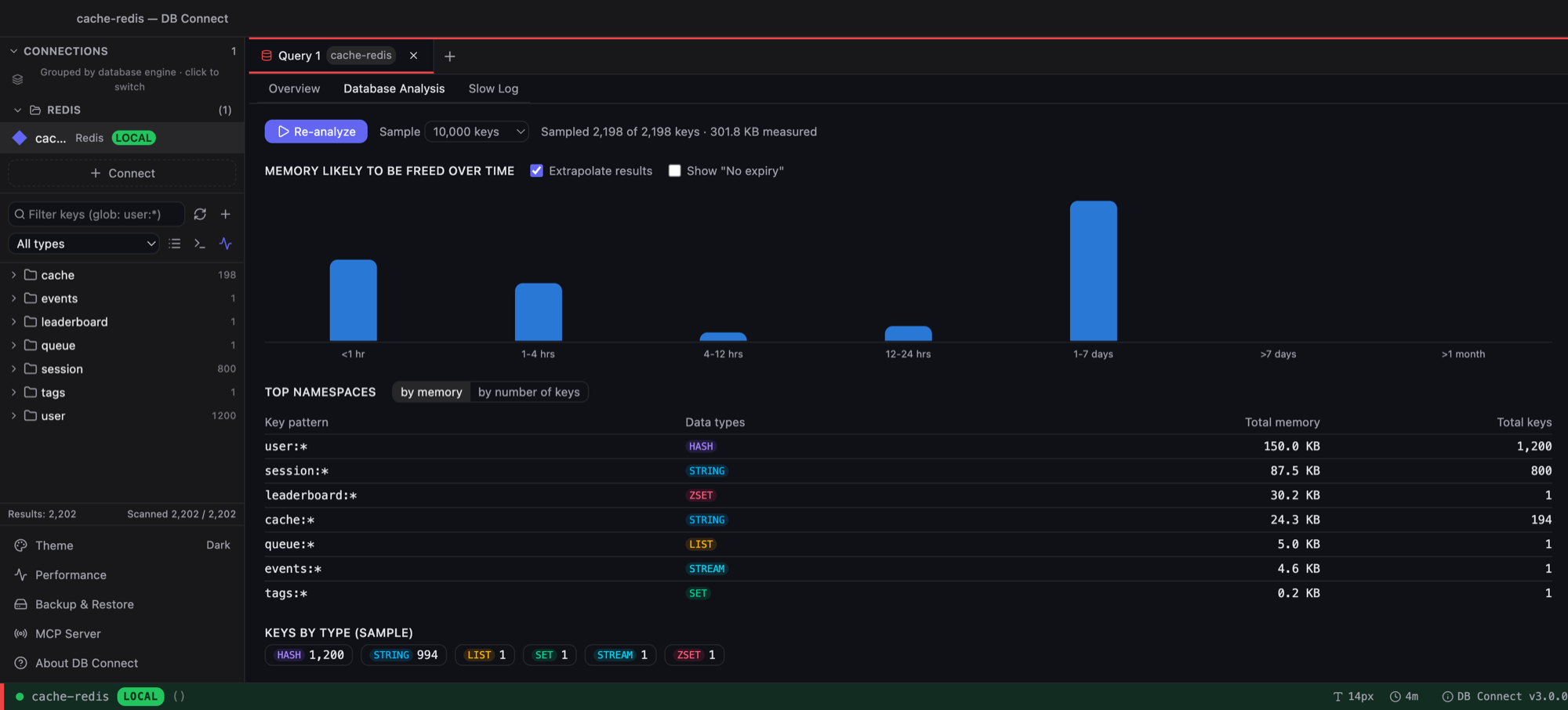
Sample the keyspace and see memory by TTL bucket, the namespaces that cost the most, and keys by type — plus per-node stats and the slow log across all masters.

  • Memory likely to be freed over time
  • Top namespaces by memory or key count
  • Overview, Database Analysis and Slow Log tabs
Redis database analysis: memory by TTL histogram and top namespaces table
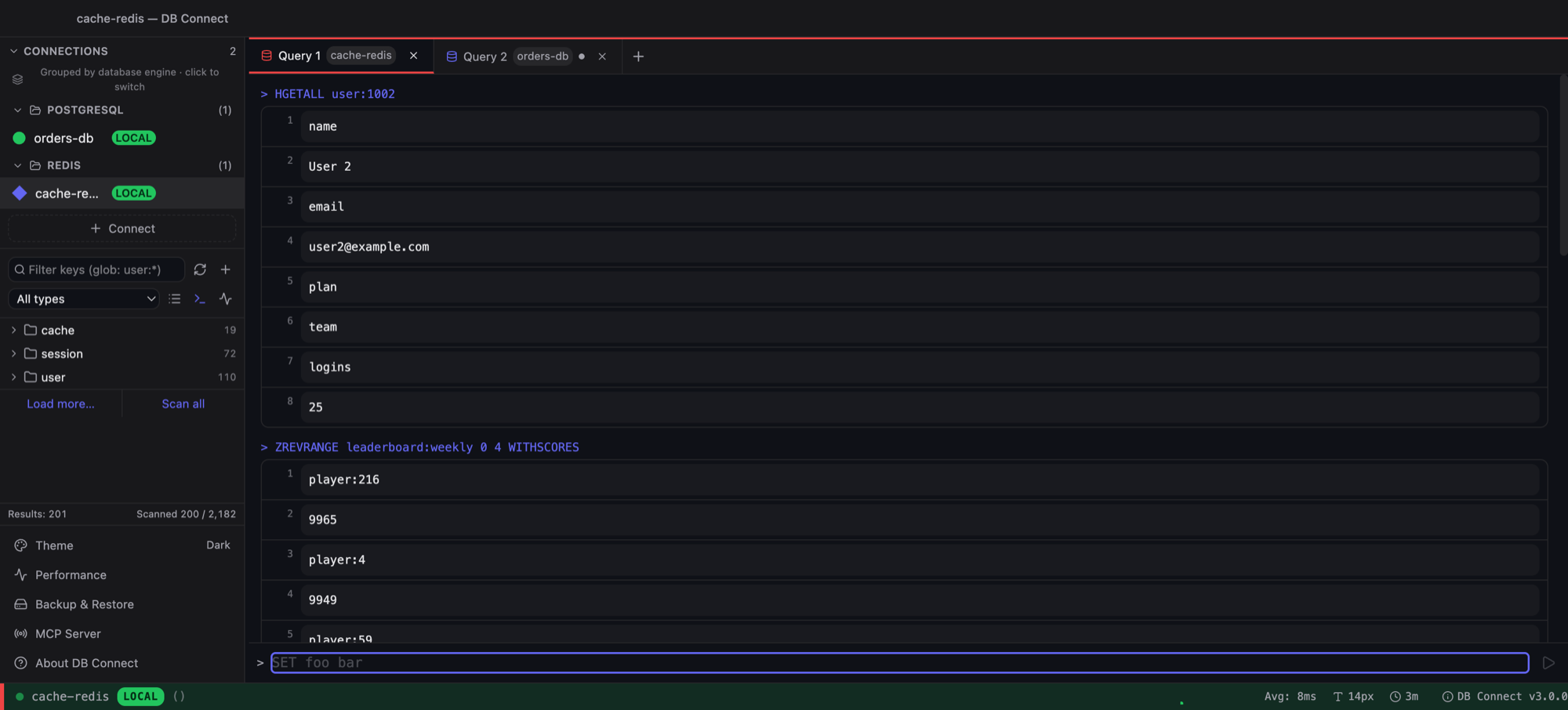
Console

And a real console when you need one

Type any command. Replies are rendered by type — hashes, sorted sets with scores, JSON pretty-printed, nested arrays for streams — with history recall.

  • Read-only connections block writes
  • Same commands exposed to AI agents through the local MCP server
Redis command console showing HGETALL and ZREVRANGE results
SQL engines

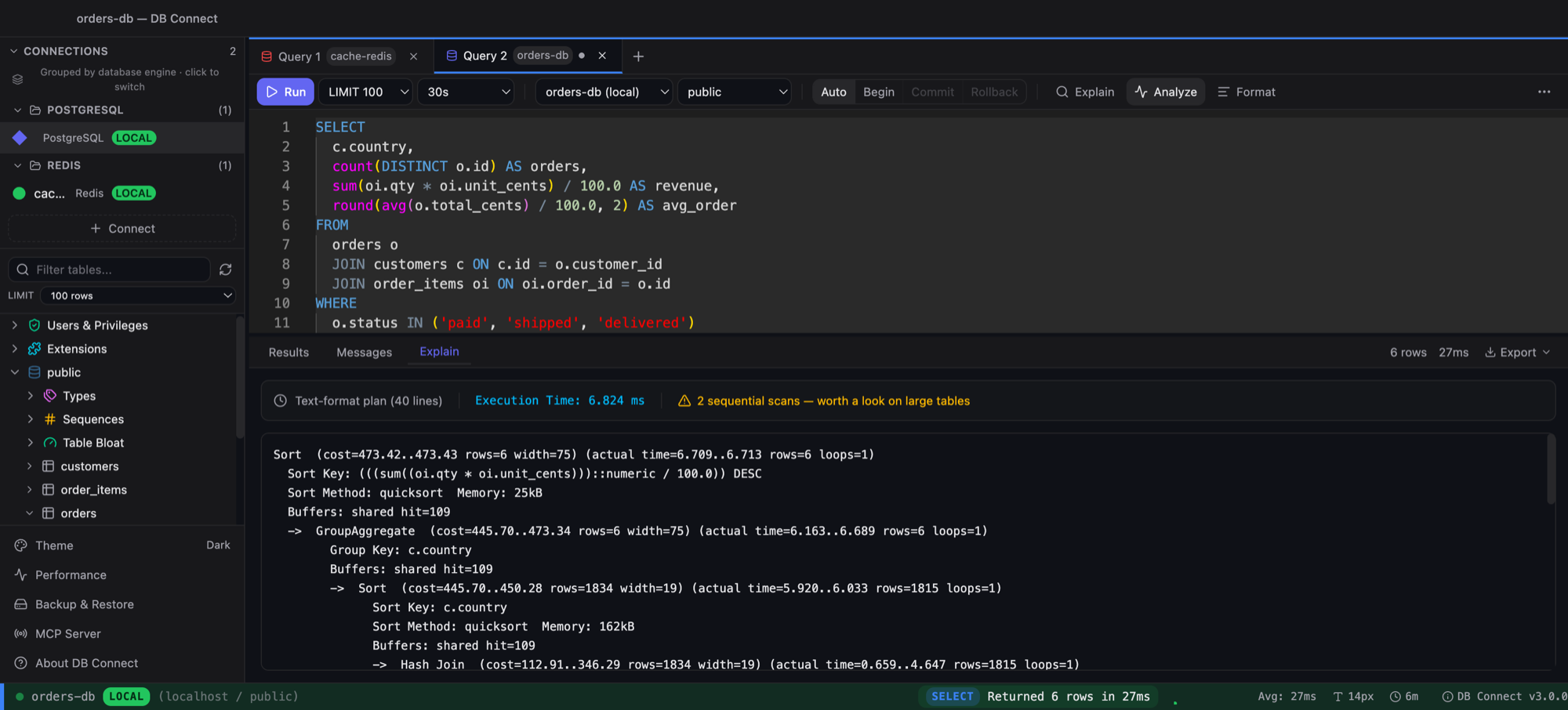
Plans you can actually read

EXPLAIN and EXPLAIN ANALYZE on MySQL, PostgreSQL and Redshift, with sequential scans, nested loops and Redshift redistribution (DS_BCAST_INNER, DS_DIST_BOTH) called out.

  • Dialect-aware autocomplete per engine
  • Redshift: IAM auth, SSH tunnel, WLM queue time, UNLOAD/COPY builders
  • DynamoDB: items returned vs scanned, efficiency and RCUs on every query
EXPLAIN ANALYZE output with sequential scans highlighted

Connect once. Query anything.

Each engine gets its own tooling — not a generic SQL box with the logo swapped.

MySQL

Transactions, table & index designers, routines, users & privileges, backup/restore, performance pane.

PostgreSQL →

Extensions, ENUM types, materialized views, sequences, RLS & partition visibility, EXPLAIN ANALYZE.

Amazon Redshift →

IAM or password auth, SSH tunnel, structured EXPLAIN, WLM queue time, UNLOAD/COPY, Spectrum schemas.

DynamoDB →

Scan/Query/PartiQL with cost stats, item editor, GSI queries, Load more, consistent reads, native capacity monitoring.

Redis →

Auto-detected cluster, key browser with tree grouping, type-aware editors, Analyze pane, console.

Built for backend engineers

The parts of the job a generic client leaves you to do by hand.

Native and fast

Go + native webview, not Electron. Opens in under two seconds.

🔒

Encrypted credentials

AES-256-GCM at rest, key in the OS keychain. Passwords never touch disk in plaintext.

🛡

Production safety

Tiered confirmations for DELETE/UPDATE/DROP on production connections; read-only mode; server-side guard on every path, including MCP.

🔍

Performance monitoring

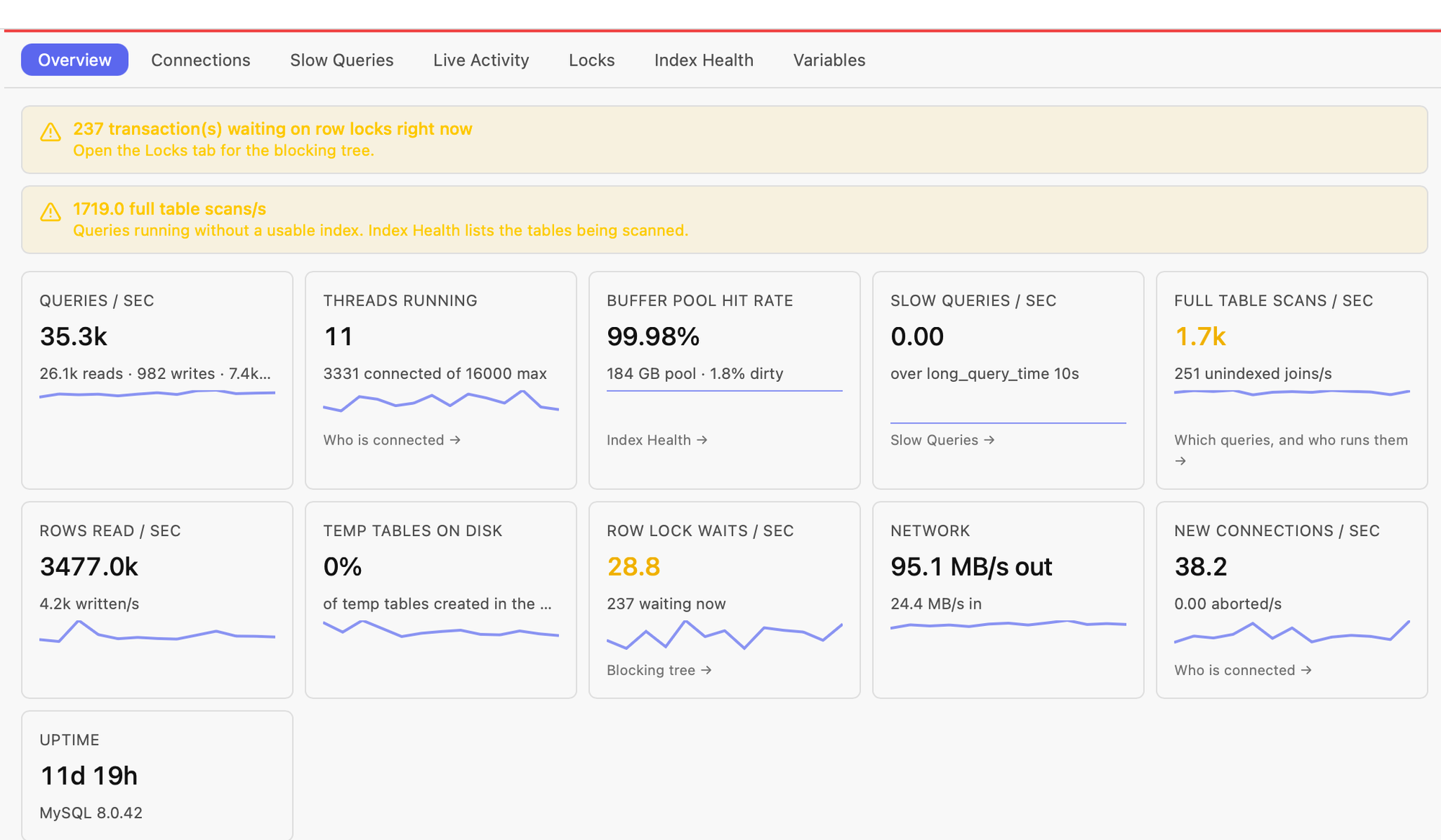
Slow queries, live activity with one-click kill, locks and index health — MySQL, Postgres, Redshift, DynamoDB and Redis.

🤖

Local MCP server

Let Claude Code or Cursor query the connections you allow — token-authenticated, read-only by default, time-boxed write grants.

Step-aware autocomplete

Tables after FROM, columns in scope after WHERE, engine-specific keywords and functions.

📋

Inline editing that can't miss

Edit, insert and delete in the grid with primary-key-based updates — and disabled when no key is known.

📄

Import & export

CSV import with a field mapper; export CSV, JSON, Excel or engine-correct INSERT statements.

🔗

SSH tunnels

MySQL, PostgreSQL, Redshift and Redis through a bastion, with tunnel secrets encrypted like everything else.

📚

History & saved queries

Searchable history, favourites, saved queries with {{parameters}}, saved grid filters.

🎨

Multi-tab, multi-connection

Tabs bound to connections, sidebar grouped by engine, Cmd+K command palette, Cmd+P connection switcher.

💾

Backup & restore

mysqldump-backed backups for MySQL; UNLOAD/COPY generators for Redshift.

How it compares

Feature DB Connect DataGrip DBeaver TablePlus Beekeeper Studio
Price Free Free (non-commercial)¹ Free (Community) $99+ Free (Community)
DynamoDB Support Yes No No² No No³
Redis Support Yes Yes No² Yes No
Redshift Support Yes Yes Yes Yes Yes
PostgreSQL Support Yes Yes Yes Yes Yes
Startup Time <2s 10-30s 5-15s <3s Electron
App Size ~32MB ~800MB ~400MB ~80MB ~500MB
SSH Tunnels Yes Yes Yes Yes Yes
Built-in Performance Monitoring Slow queries, locks, index health, "where fired from" No Partial No No
Real backup/restore Yes No No No Yes
Local MCP server (AI tool integration) Yes No No No No
Encrypted Credentials AES-256 Yes Yes Yes Yes

¹ DataGrip is free for non-commercial use (learning, hobby, open-source) since Oct 2025; commercial use requires a paid license. ² DynamoDB and Redis support in DBeaver are gated to paid tiers (Lite and above) — not included in the free Community edition. ³ Beekeeper Studio's Community edition includes Redshift but gates DynamoDB to its paid Indie/Professional/Business tiers. Verified against each vendor's own docs; open an issue if something's out of date.

vs. popular MySQL-only tools

MySQL Workbench and Sequel Ace are two of the most popular MySQL-only clients — worth a direct look if MySQL is the only engine in your stack.

Feature DB Connect MySQL Workbench Sequel Ace
Price Free Free (Community) Free (open source)
PostgreSQL / Redshift / DynamoDB All three None None
Platforms macOS, Windows macOS, Windows, Linux macOS only
Native app Yes Yes Yes
EXPLAIN Visual Visual Text output
Backup/restore Yes Yes Yes (SQL dump)

Download DB Connect

Free for personal and commercial use. No account required.

macOS

macOS 11.0 (Big Sur) or later
Intel & Apple Silicon

Homebrew (recommended): brew install --cask shubhesh07/db-connect/db-connect
Upgrade later with brew upgrade --cask db-connect. Homebrew unblocks Gatekeeper for you.
No Homebrew? One-line installer: curl -fsSL https://github.com/shubhesh07/db-connect/releases/latest/download/install.sh | bash
curl downloads don't get the macOS quarantine flag, so the app launches normally.
Download .dmg

Prefer a DMG? Open it and double-click install-mac.sh — the bundled script copies the app to /Applications and clears the quarantine flag automatically.

Windows

Windows 10 or later
64-bit

Download .exe