A lightweight PostgreSQL client that knows Postgres
Not a generic SQL box with a Postgres logo: extensions, ENUMs, materialized views, sequences, bloat stats, RLS and partitions are all first-class — with EXPLAIN ANALYZE you can actually read.
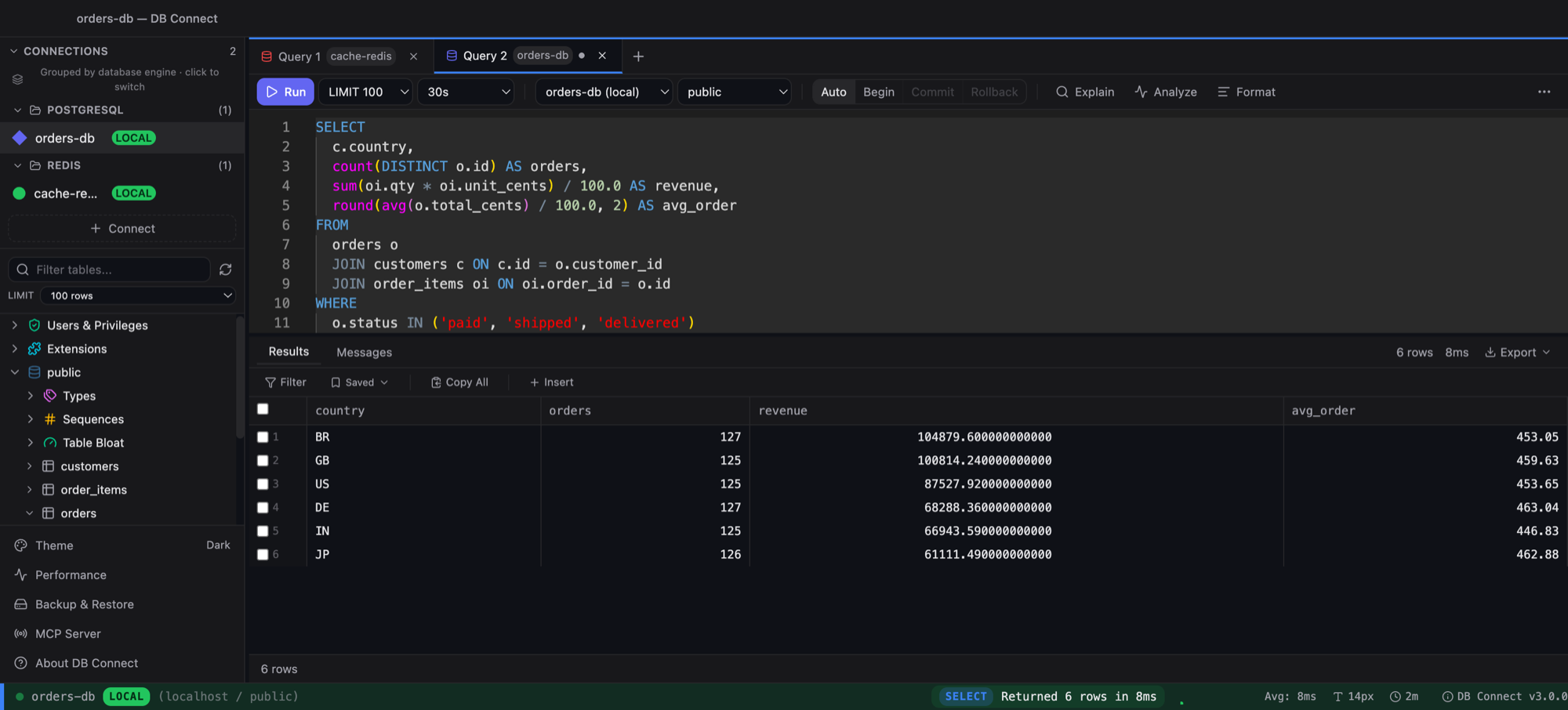
Editor that knows your schema
Tables after FROM, in-scope columns after WHERE, Postgres keywords and functions. Cmd+Enter to run, Cmd+Shift+F to format.
EXPLAIN and EXPLAIN ANALYZE
Real timings, sequential scans and nested loops highlighted, buffers shown.
Transactions
BEGIN / COMMIT / ROLLBACK and auto-commit toggle; the table editor runs inside your open transaction.
Postgres-native tooling
Extensions viewer/installer, custom ENUM types, materialized views (create/refresh/drop), sequences, table bloat with one-click VACUUM/ANALYZE, RLS policies and partitions.
Edit in the grid
Inline edit, insert and delete with primary-key-based updates — disabled automatically when no key is known, so you never hit the wrong row.
SSH tunnel + encrypted credentials
Bastion-hosted databases just work; passwords and keys live in your OS keychain.
Frequently asked
Does it work with managed Postgres (RDS, Supabase, Neon, Cloud SQL)?
Yes — anything that speaks the PostgreSQL wire protocol, with SSL modes and SSH tunnels available.
Is EXPLAIN ANALYZE safe to click?
It runs the query, so it's gated to SELECT-shaped statements; plain EXPLAIN is always planner-only.
Can I import CSV?
Yes, with a column mapper and insert-or-upsert mode. Export goes to CSV, JSON, Excel, or Postgres-correct INSERT statements.
How is it different from DBeaver or DataGrip?
Native binary (no JVM), opens in under two seconds, free for commercial use, and also covers MySQL, Redshift, DynamoDB and Redis in the same app. See the comparison on the home page.
Free. Native. No account.
macOS (Intel + Apple Silicon) and Windows. Also available via brew install --cask shubhesh07/db-connect/db-connect.