A free MongoDB GUI where you can query with SQL or mongosh
Write SELECT … FROM orders WHERE status = 'paid' GROUP BY country and DB Connect turns it into a find or an aggregation pipeline. Or type db.orders.find({…}).sort().limit() as you would in mongosh. It's a native MongoDB client for Mac and Windows that works with Atlas and self-hosted servers, with no account and no telemetry.
brew install --cask shubhesh07/db-connect/db-connect
curl -fsSL https://github.com/shubhesh07/db-connect/releases/latest/download/install.sh | bash
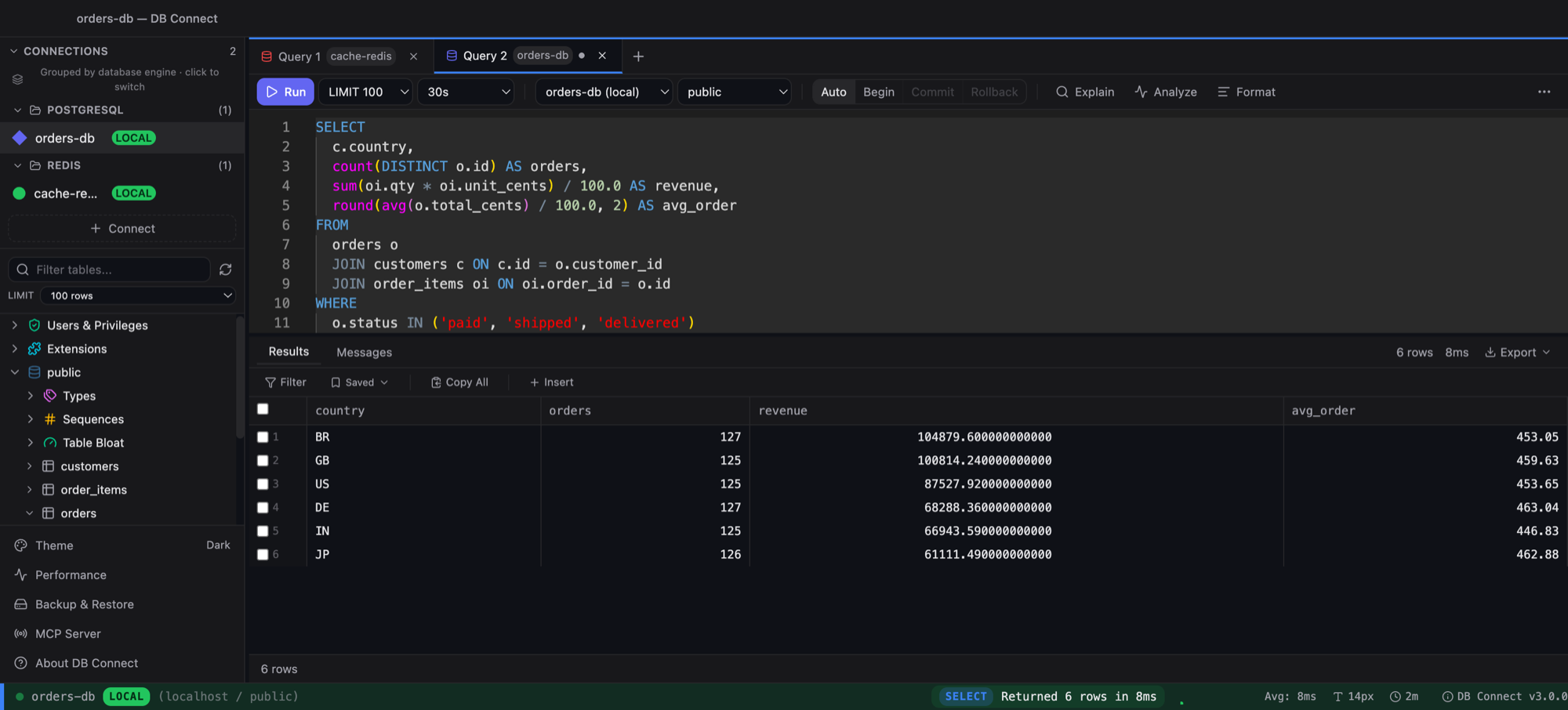
The same editor and grid serve every engine. This capture is a PostgreSQL tab; MongoDB tabs take SQL or mongosh syntax.
A MongoDB client with the tools you reach for every day
Query with SQL
SELECT country, COUNT(*) FROM orders WHERE status = 'paid' GROUP BY country HAVING COUNT(*) > 10 becomes an aggregation pipeline. Simple filters become a find. Reads without a LIMIT are capped at 500 documents.
…or mongosh syntax
db.orders.find({status: 'paid'}).sort({created: -1}).limit(20) works as typed. JSON is parsed leniently, so bare keys, single quotes, ObjectId() and ISODate() are all fine.
Explorer with sampled fields
Browse databases, then collections, then fields, with the types each field takes in a sample of documents. Clicking a collection opens its first documents. There's also a sampled schema analyzer and collection stats.
Document editor
Edit documents as typed extended JSON, so NumberLong stays 64-bit and dates stay dates. Saves are optimistic, and you can clone a document. Nested values in the grid expand into a tree. Edits happen in the document editor; the grid is read-only for MongoDB.
Aggregation pipeline builder
Build a pipeline stage by stage and preview the output after each stage before you run the whole thing.
Indexes, explain, validation
An index manager, a visual explain tree that shows whether your query used an index, and the collection's validation rules.
Import and export
JSON and CSV in both directions, from the collection's context menu.
Users, roles, change streams
Manage database users and roles. Watch a collection's change stream live. A performance pane lists current operations and can kill one, behind the production confirmation.
Atlas, self-hosted, behind a bastion
Connect with a mongodb:// or mongodb+srv:// URI or with host and port. Auth can be SCRAM, X.509, AWS or PLAIN, with TLS certificates, read preference and an SSH tunnel. Tunnel secrets are encrypted like every other credential.
Safe on production
Read-only connections refuse writes. Production-tagged connections ask before writes, and shell writes such as deleteMany are detected as destructive. Credentials are encrypted, with the key in your OS keychain.
MCP tools for AI assistants
list_databases, list_tables, describe_table and run_query all work against MongoDB. Reads are allowed; writes need a time-bounded grant from the desktop app.
Your other databases, same window
MySQL, PostgreSQL, Amazon Redshift, DynamoDB, Redis and Elasticsearch/OpenSearch live in the same app, with one credential store and one query history.
A Compass and Studio 3T alternative: how it compares
MongoDB Compass is the free official GUI. Studio 3T and NoSQLBooster are mature commercial tools with free editions. Here's where DB Connect fits:
| DB Connect | MongoDB Compass | Studio 3T | NoSQLBooster | DBeaver | |
|---|---|---|---|---|---|
| Price | Free | Free | Paid; free edition with limits* | Paid; free edition with limits* | MongoDB is in paid editions, not Community* |
| App type | Native (Go + system webview) | Electron | Java* | Electron* | Java (Eclipse) |
| macOS and Windows | Yes | Yes | Yes | Yes | Yes |
| SQL queries | Yes, translated to find / aggregate | No* | Yes* | Yes* | Check vendor* |
| mongosh-style queries | Yes | Embedded mongosh | Yes | Yes | Check vendor* |
| Aggregation builder | Yes, per-stage preview | Yes | Yes | Check vendor* | Check vendor* |
| Schema analysis | Yes (sampled) | Yes | Yes | Check vendor* | Check vendor* |
| Local MCP server | Yes (allow-listed) | Check vendor* | Check vendor* | Check vendor* | Check vendor* |
| Other engines in the same app | MySQL, PostgreSQL, Redshift, DynamoDB, Redis, Elasticsearch/OpenSearch | MongoDB only | MongoDB only | MongoDB only | Many |
* As of 2026. These products change often and some features sit in specific paid tiers, so check each vendor's site before you decide. Corrections are welcome: open an issue.
Frequently asked
Is there a free MongoDB GUI for Mac?
Yes. DB Connect is free for personal and commercial use, runs natively on macOS (Intel and Apple Silicon) and Windows x64, and needs no account. Install it with brew install --cask shubhesh07/db-connect/db-connect or download the DMG.
Can I query MongoDB with SQL?
Yes. SELECT with WHERE, ORDER BY, LIMIT/OFFSET, GROUP BY with COUNT/SUM/AVG/MIN/MAX, HAVING and DISTINCT is translated to a find or an aggregation pipeline. INSERT, UPDATE and DELETE work too. LIKE becomes an anchored, case-insensitive regex, a bare id means _id, and 24-character hex strings are treated as ObjectIds.
What is a free alternative to Studio 3T?
DB Connect is free and covers SQL queries, mongosh-style queries, a document editor, an aggregation pipeline builder with per-stage preview, index management, explain, JSON/CSV import and export, and users and roles. It doesn't try to match every Studio 3T feature, so compare against your own workflow.
Is DB Connect a good MongoDB Compass alternative?
Compass is free and made by MongoDB, and it's a good tool. DB Connect is worth a look if you also want SQL queries against collections, a local MCP server for AI tools, or MySQL, PostgreSQL, Redshift, DynamoDB, Redis and Elasticsearch/OpenSearch in the same app.
Does it work with MongoDB Atlas?
Yes. Paste the mongodb+srv:// connection string Atlas gives you, or enter host and port. Supported auth mechanisms are SCRAM, X.509 certificates, AWS and PLAIN, and you can set TLS certificates and read preference.
Does it work with Amazon DocumentDB?
DocumentDB speaks the MongoDB wire protocol, so you connect the same way: a URI, a TLS CA file, and an SSH tunnel through a bastion in the VPC if needed. It isn't on the tested list, and features DocumentDB doesn't implement will return the server's own error. Try it on a non-production cluster first.
Can Claude or Cursor query my MongoDB?
Yes, through DB Connect's local MCP server. It's off by default, listens on 127.0.0.1, needs a bearer token, and only reaches connections you allow-list. Reads are allowed; writes need a time-bounded grant you give from the desktop app, and results are capped at 500 rows.
Free. Native. No account.
macOS (Intel + Apple Silicon) and Windows x64, about 35 MB. Also available via brew install --cask shubhesh07/db-connect/db-connect.